
Watchmakers Bench Studio
Watch repair management software
Run your entire watch repair workshop with Watchmakers Bench Studio — a powerful management platform built for the precision of your craft.

An app with optional modules
Not every workshop needs the same tools. Watchmakers Bench Studio is divided into optional sections, called modules, each with a set of related features. Your workspace can include what is useful to you without showing tools you do not need.

Customer jobs
Customer details, watch information and service history belong together. A dedicated repair record keeps the information behind each customer job in one place.
Included in Free & Pro ↗
Personal jobs
A separate workspace for your own watches, with restoration history, photos, expenses and sale information kept apart from customer repairs.
Included in Free & Pro ↗
Parts
A parts register with stock quantities, suppliers and calibre compatibility, making it easier to find suitable parts and see what is already available.
Included in Free & Pro ↗
Labels & QR Codes
Printed labels identify watches, parts and tools. Optional QR codes provide a direct link between a physical item and its workshop record.
Included in Free & Pro ↗
Schedule & Planning
A shared calendar for planned completion dates, customer follow-ups and workshop tasks, with upcoming commitments visible alongside the jobs.
Included in PRO ↗
Price Book
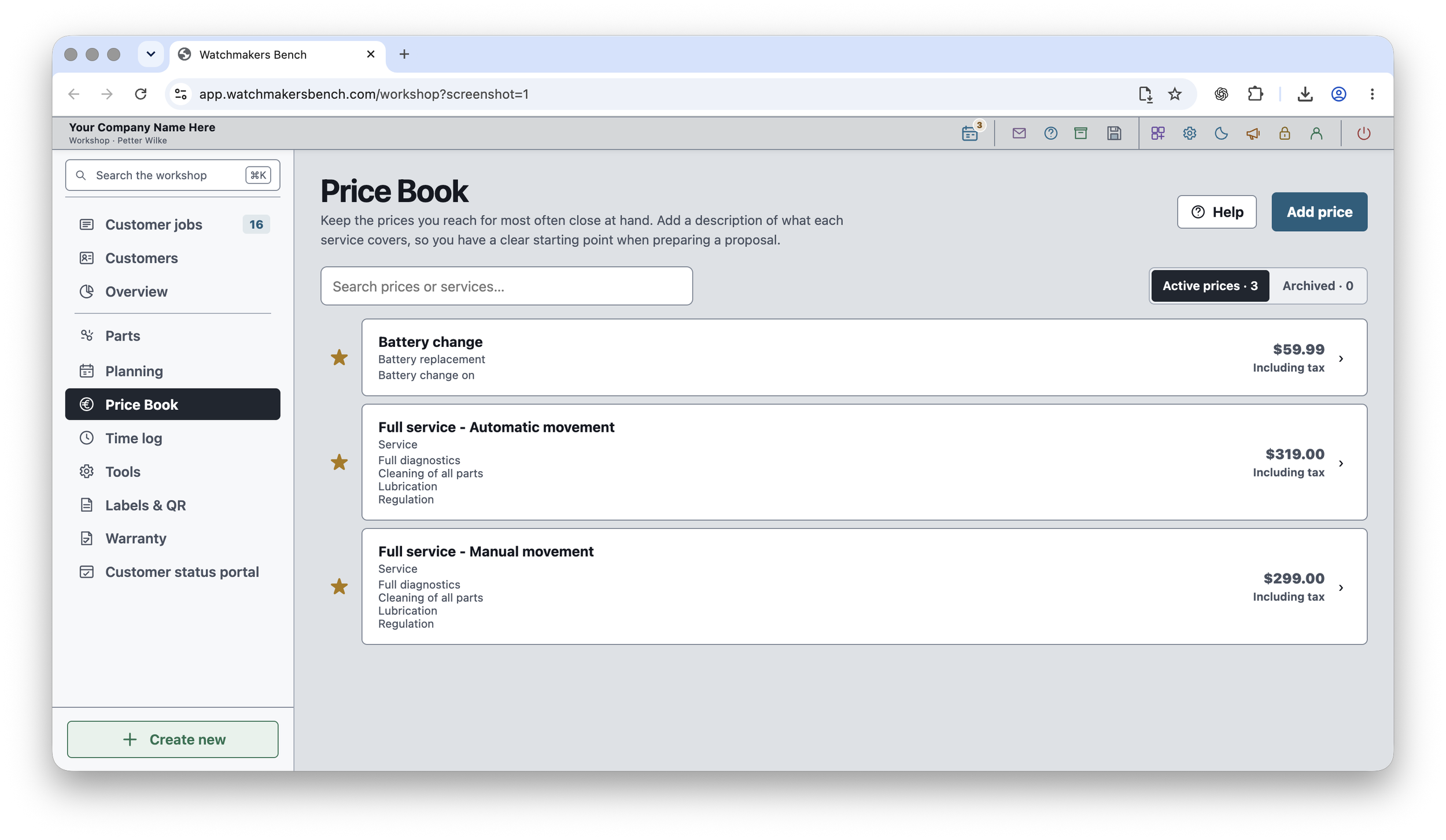
A reference for your regular service prices and descriptions, supporting more consistent estimates without repeatedly writing the same information.
Included in PRO ↗
Time Tracking
Job-based and general workshop time records help you understand how time is spent, independently of the prices quoted to customers.
Included in PRO ↗
Tools & Equipment
An equipment register with maintenance and calibration history, helping you keep track of the tools and machines your work depends on.
Included in PRO ↗
Warranty & Follow-up
Warranty periods and follow-up dates remain connected to completed repairs, making commitments after handover easier to keep track of.
Included in PRO ↗
Customization
Custom names for menus, job tabs and buttons let the app use the terminology that is already familiar in your workshop.
Included in PRO ↗The workshop toolbar
The toolbar stays at the top of your workshop, keeping everyday functions close at hand wherever you are working. Reminders, customer messages and help are available without searching through menus. It is also where you manage modules, open settings, switch between light and dark mode, and lock your workshop when you step away from the bench.
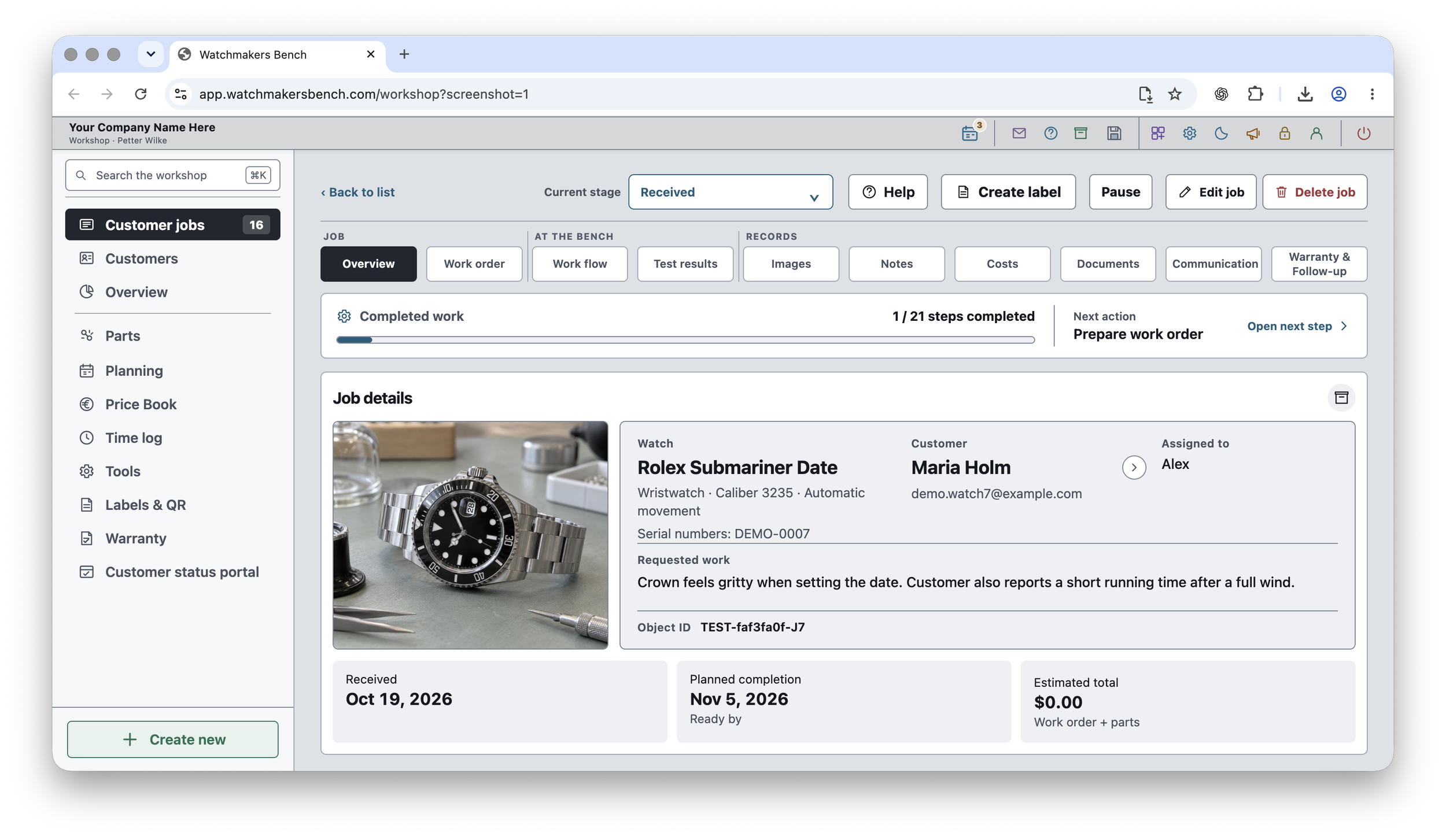
Customer jobs
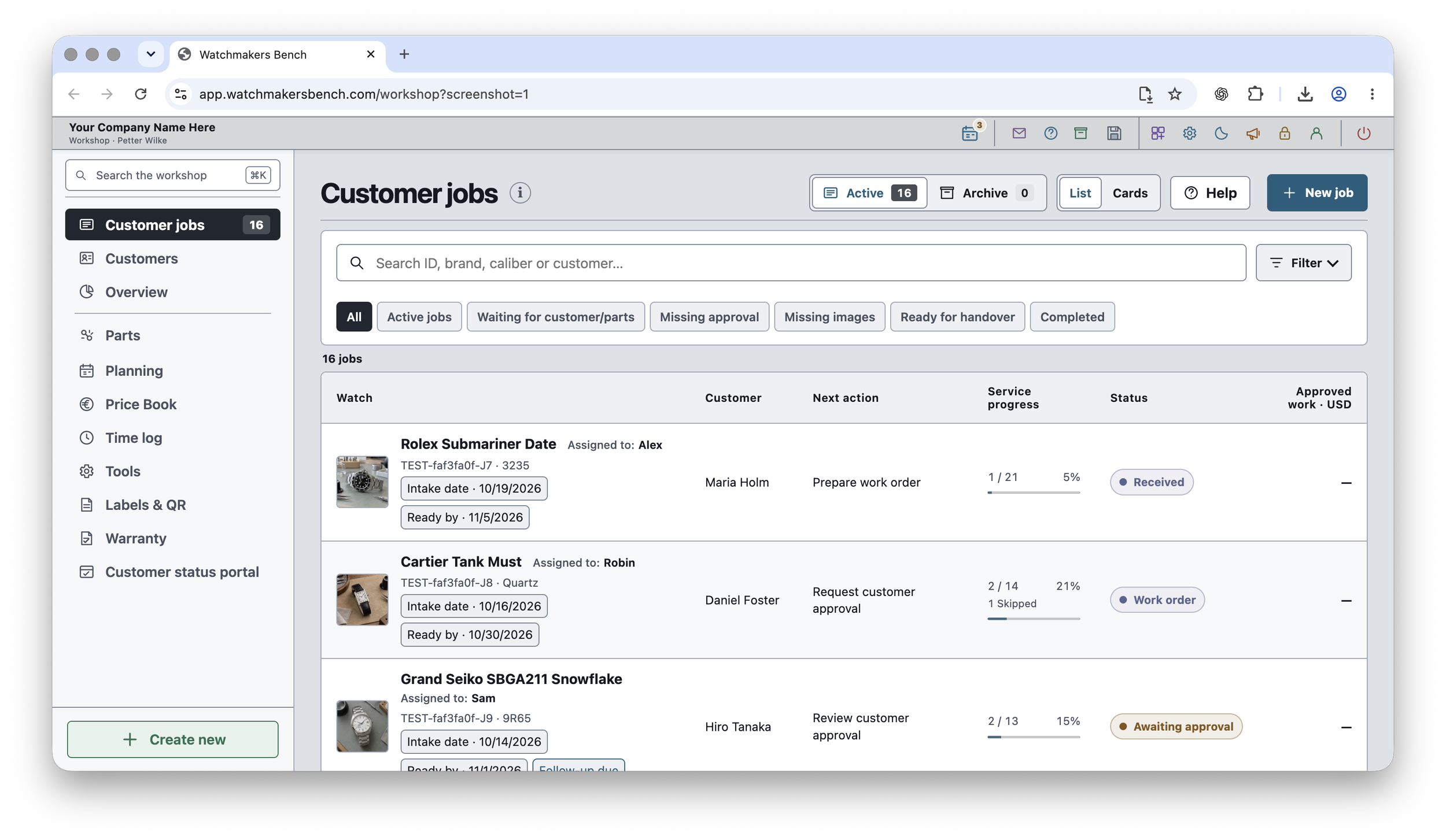
A dedicated record for every repair keeps the watch, customer and service history together. Photos, notes, costs and measurements form a clear picture of the work, while the job list shows which repairs are progressing, awaiting approval or ready for handover.
Service steps and test results
A documented service history makes it easier to review completed work and explain the result to a customer. Service checklists and before-and-after measurements bring the repair process and its outcome together in the watch’s record.
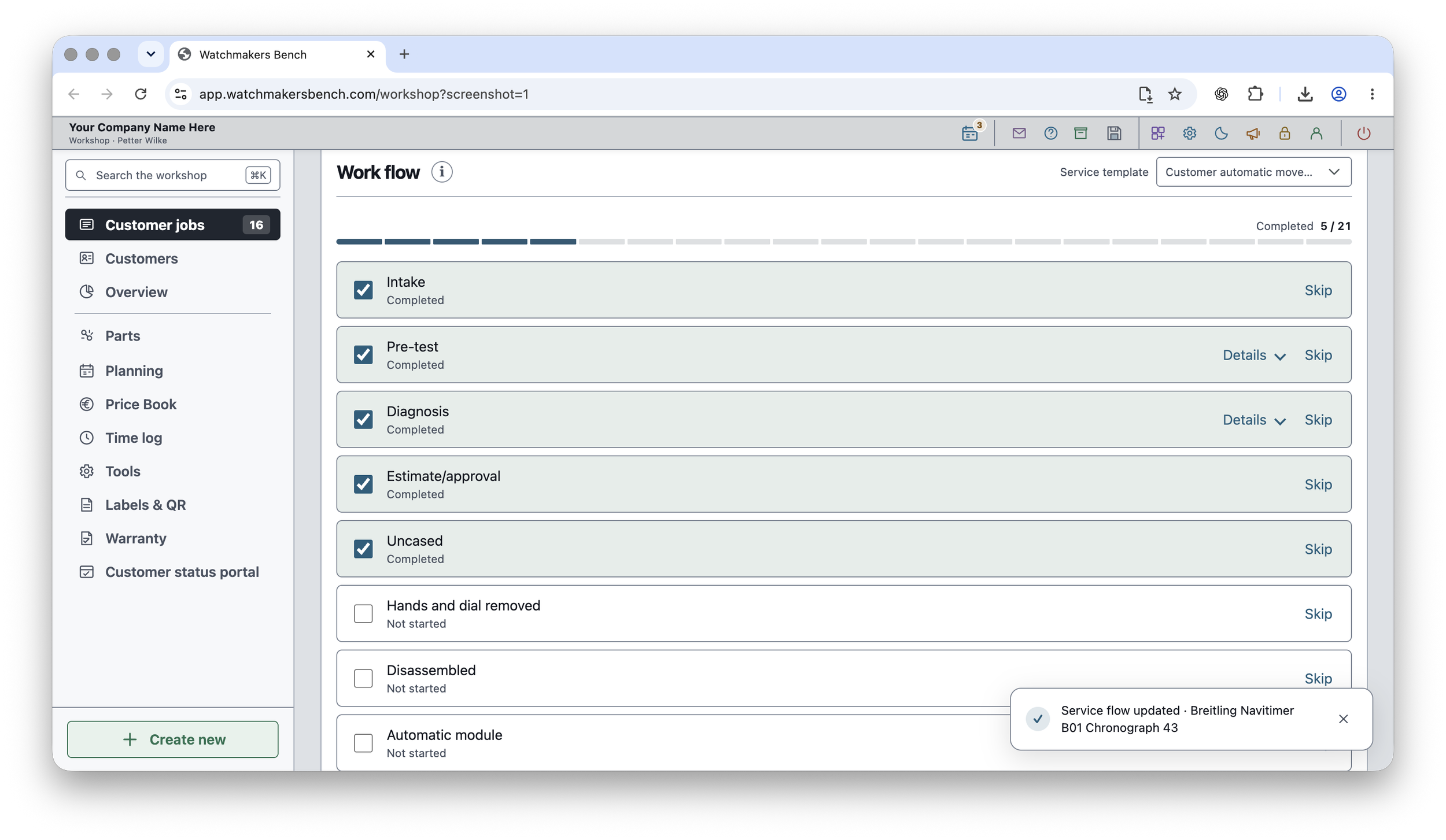
Service checklist
Several built-in service templates provide a starting point for different types of repair. You can also create your own service checklist to match the way your workshop works. Completed and remaining steps are shown together, giving you a clear overview of each repair’s progress.
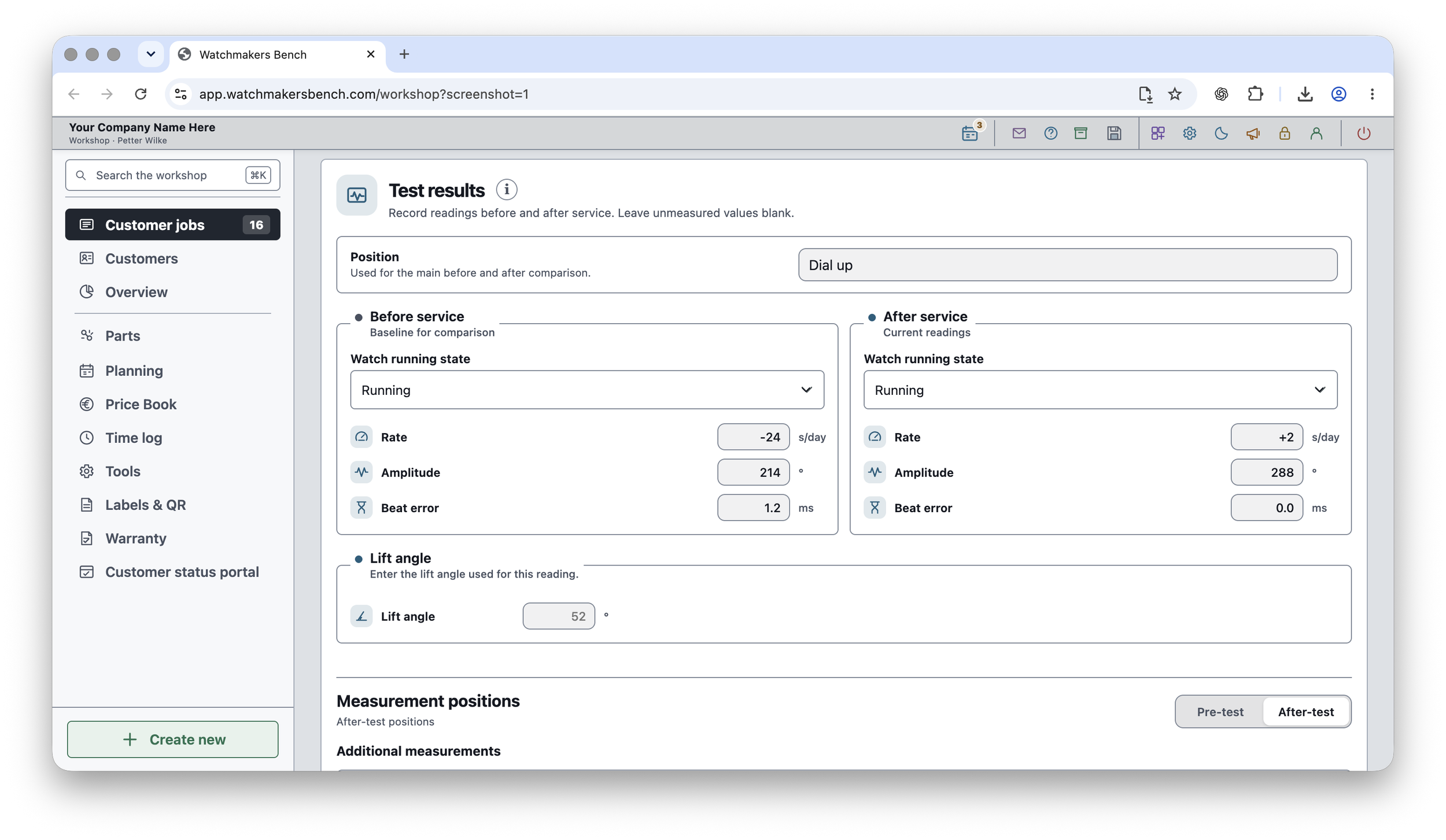
Before-and-after readings
Before-and-after readings provide a record of the watch’s measured performance. Rate, amplitude and beat error are shown side by side, making changes after service easy to compare.
Customer portal
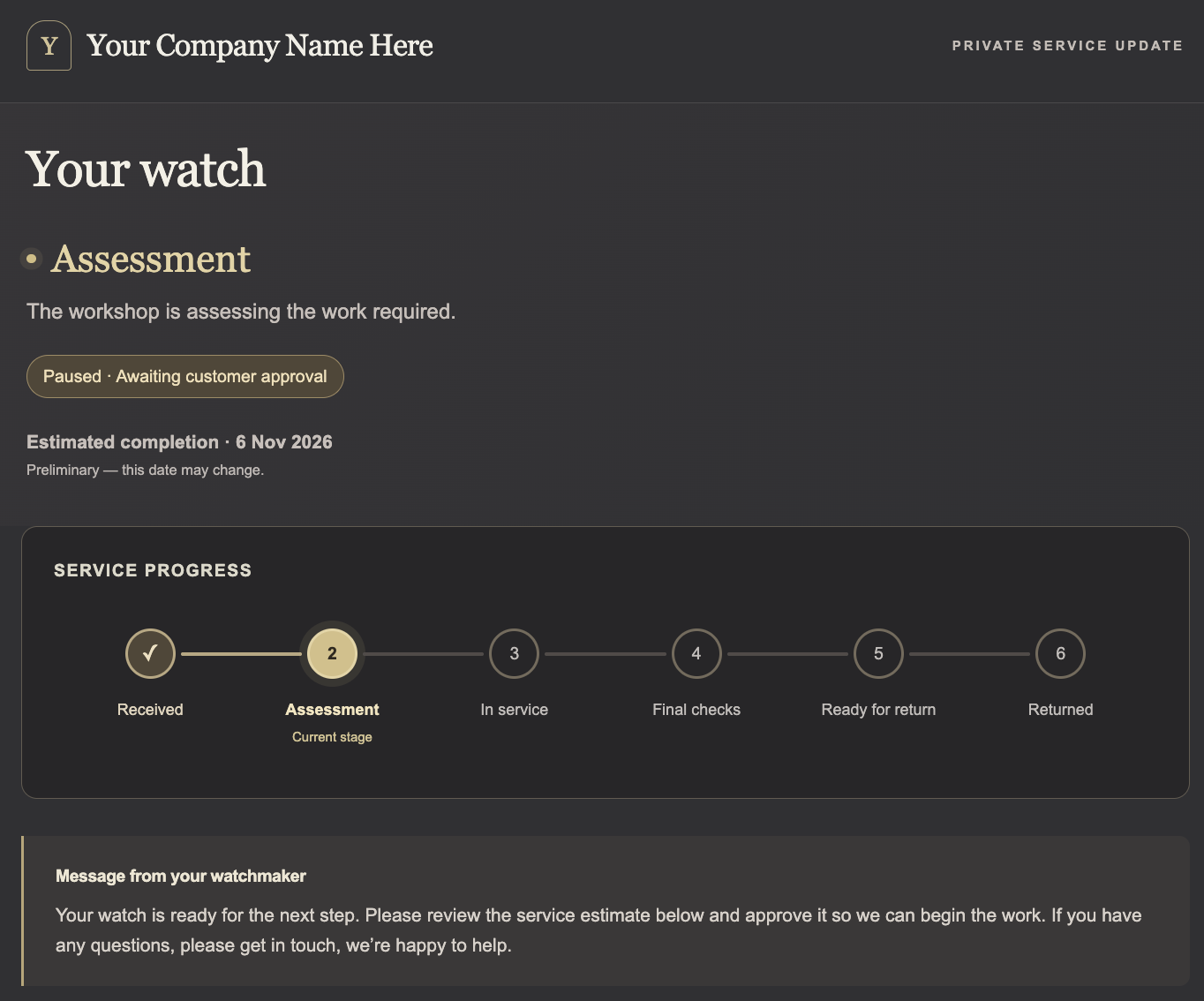
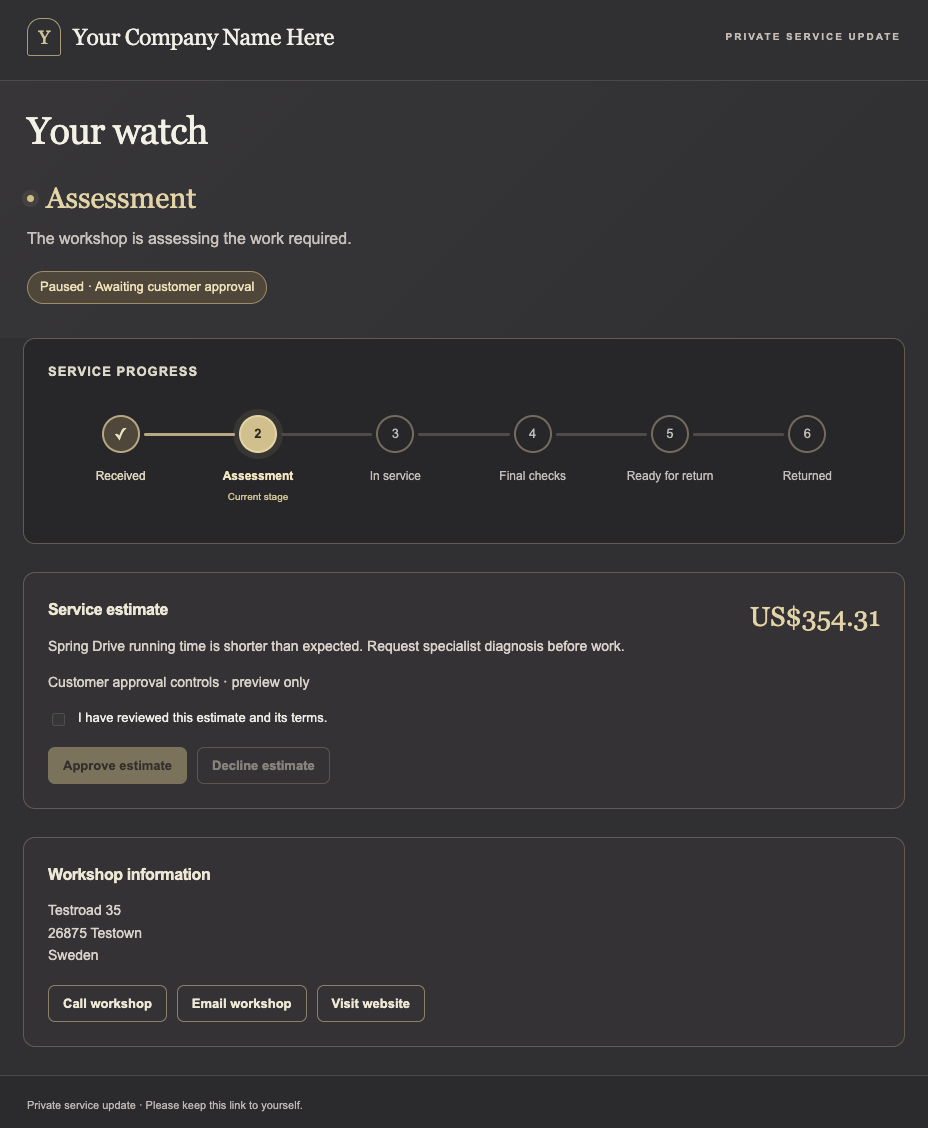
A private service page gives the customer a clearer picture of their repair. Selected progress updates, a personal message and an estimate help explain what is happening to the watch and when a customer decision is needed.
Customer portal preview shown. Availability is separate from the core toolkit.
Planning and follow-ups
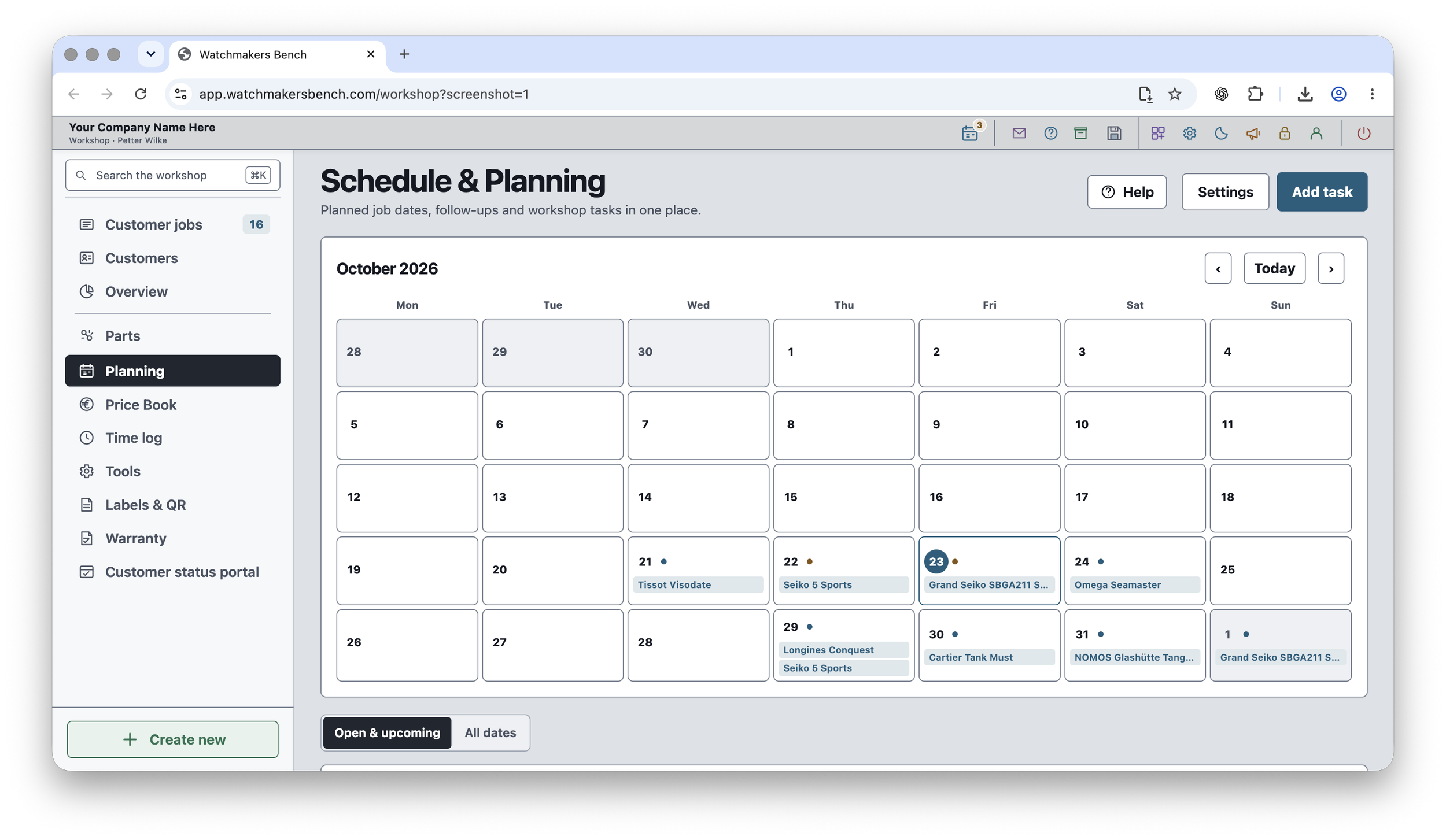
Use the Calendar module to plan when watches should be ready, keep track of customer follow-ups and make room for other workshop tasks. Dates stay linked to the relevant jobs, so you can see what is coming up and open the repair record for more detail. A shared view of these commitments makes it easier to organise the work ahead without keeping a separate planning list.
Parts and workshop tools
Repair work also depends on the right parts, clear identification, consistent estimates and well-maintained tools. These connected workshop features keep that information alongside the service records.
Parts inventory
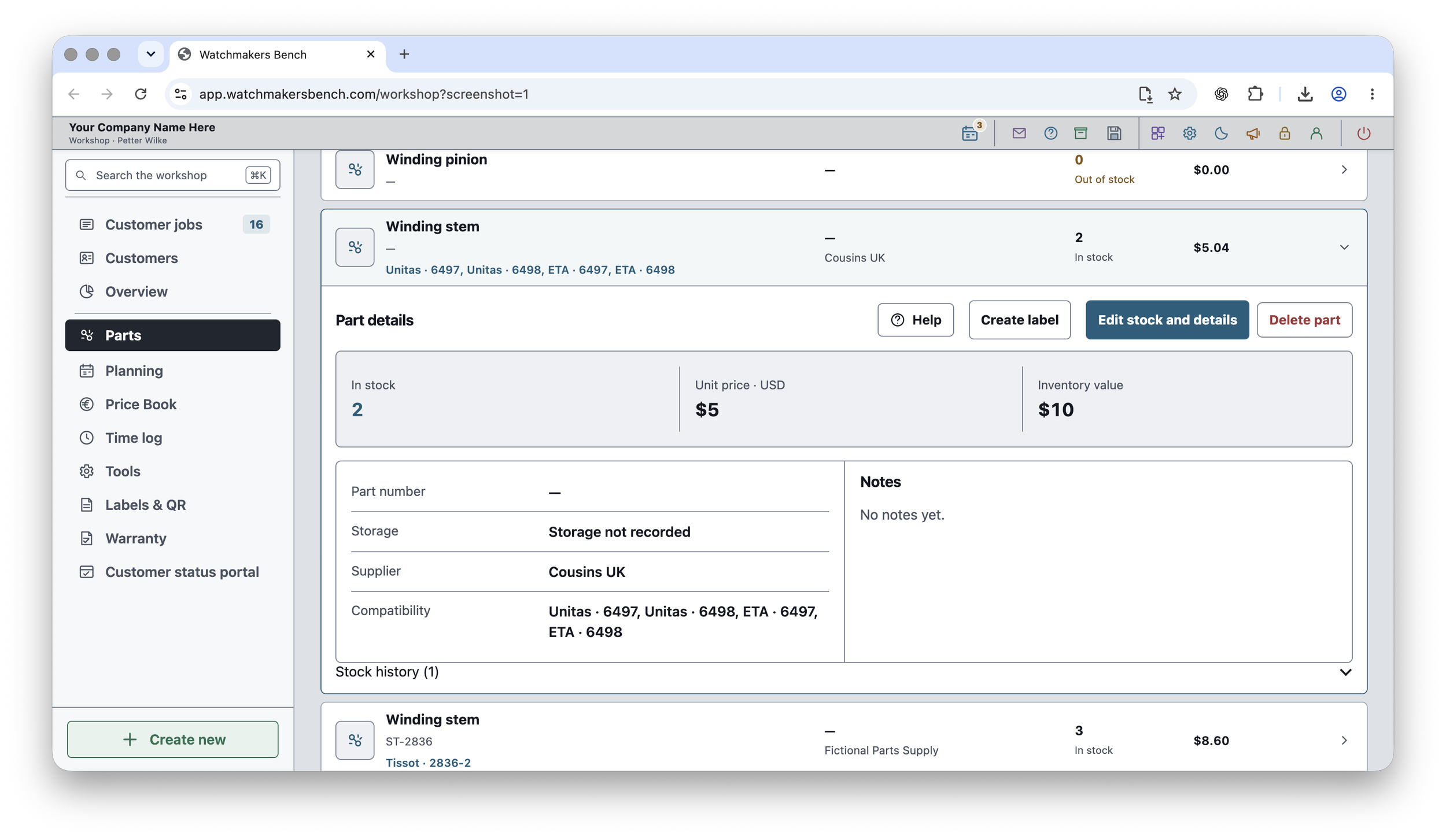
When you need a part for a repair, the Parts module helps you check whether you already have it and where it is stored. Each part has a record of the quantity in stock, its supplier and the calibres it fits. You can also look back at stock changes to see when parts were added or used.
Labels and QR codes
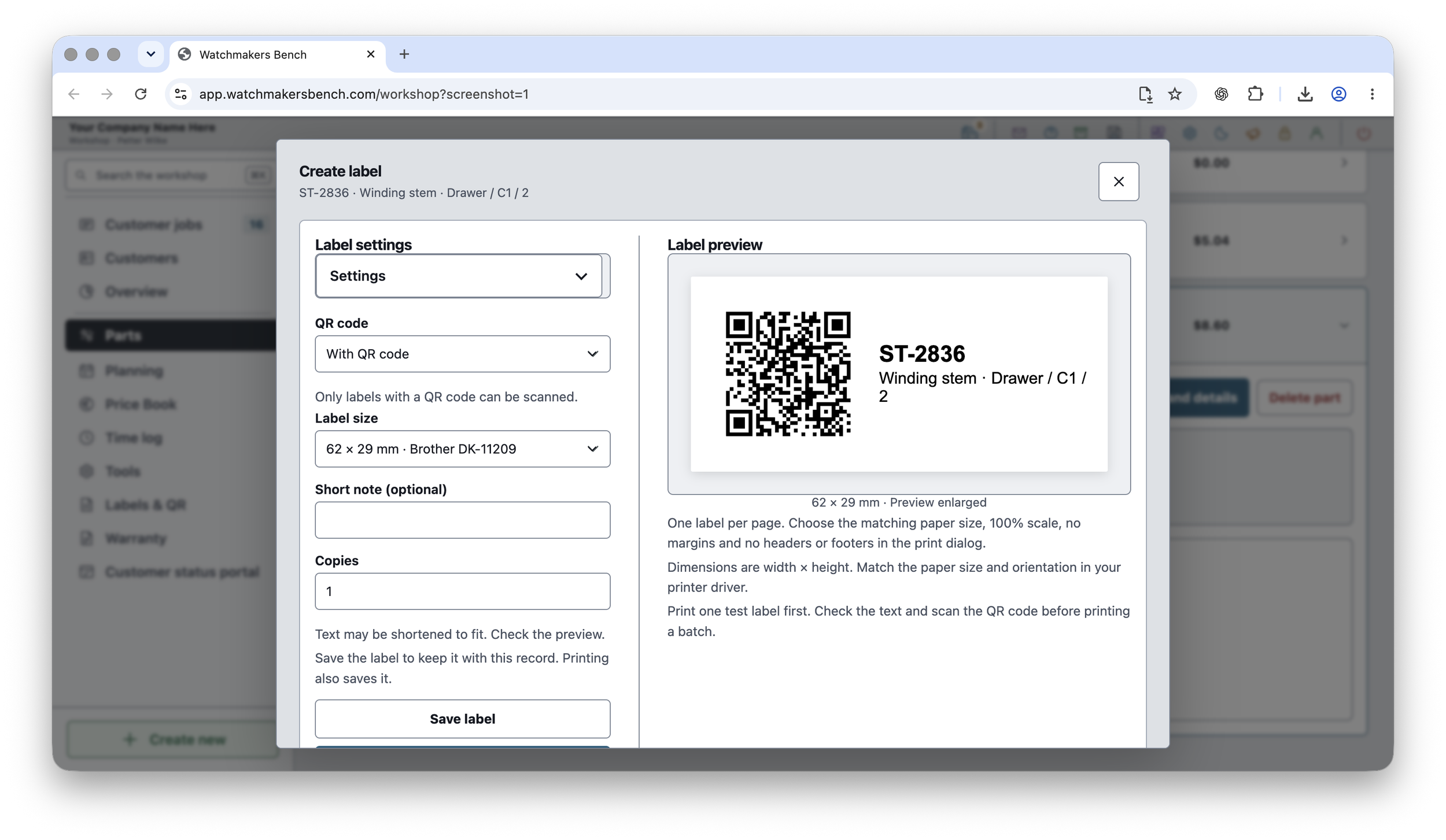
A watch in a service tray or a part in a drawer should be easy to identify without searching through your records. The Labels & QR Codes module lets you print labels for watches, parts and tools, with a QR code that opens the matching record when scanned in the app. You can choose a label size and preview the information before printing, whether the label is going on a job bag, a parts drawer or a piece of equipment.
Reusable service prices
A library of common services, descriptions and prices provides a consistent starting point for estimates and reduces repeated administration.
Equipment and maintenance
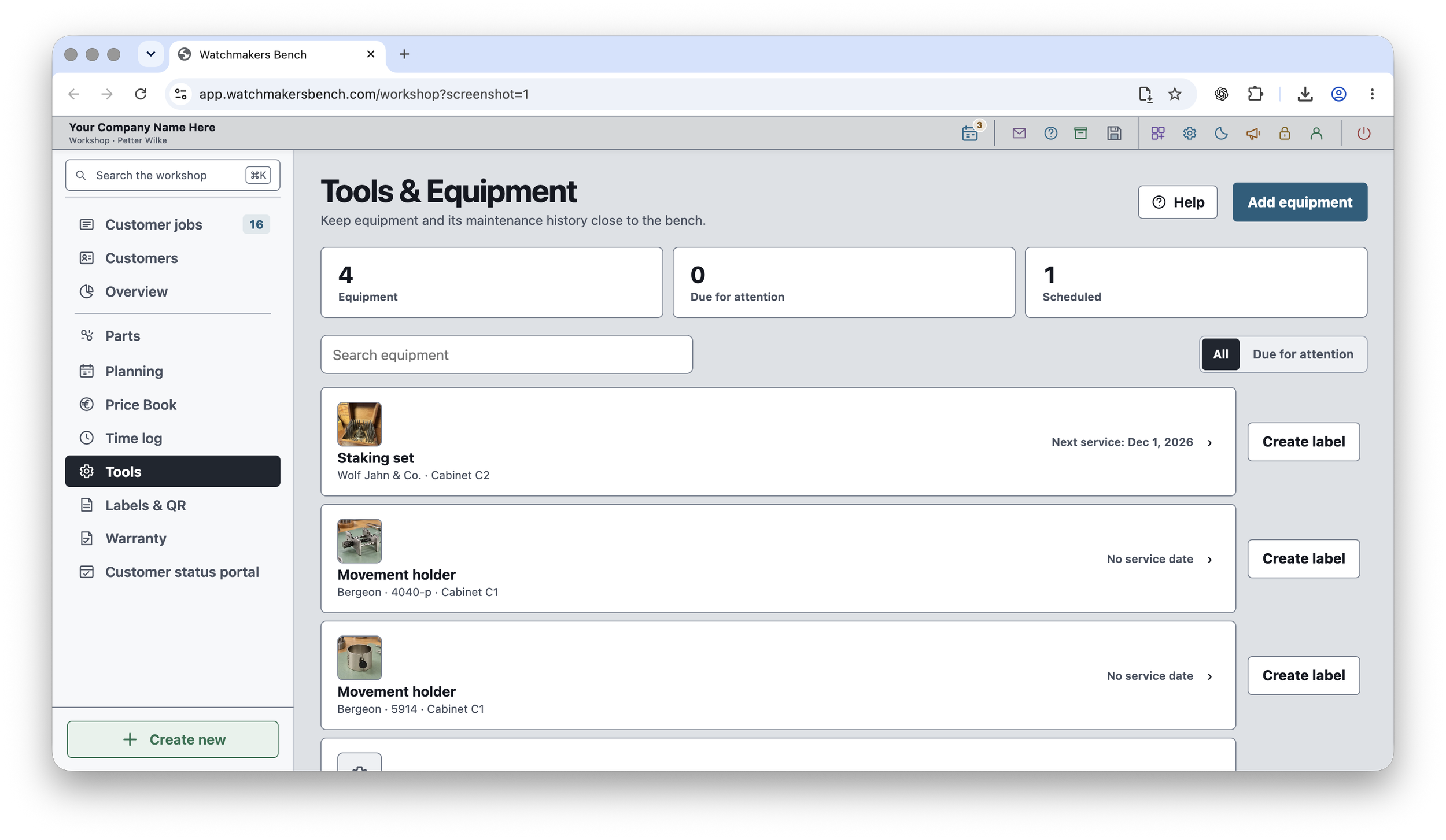
Keep track of all your tools and workshop equipment, from movement holders to the machines you use every day. The Tools & Equipment module keeps their details, storage locations and maintenance records together. Service and calibration dates help you see what needs attention, while the history shows when each item was last checked and what work was carried out.
Encrypted workshop files, stored where you choose
Security is central to Watchmakers Bench Studio. Your workshop records and original attachments are encrypted and saved in a folder you choose. You can keep that folder on your computer or in a location synced by a cloud service you use, such as iCloud Drive or OneDrive. This gives you control over where your workshop data is stored, with file synchronisation handled by your chosen service. Online features such as customer updates share only the information you choose to publish.

Choose your plan
FREE includes four modules and up to three active jobs across your account. PRO supports unlimited active jobs and includes all ten core modules with the possibility to add more.
FREE
No time limitFour modules and up to three active jobs.
$0.00 / forever
No card required. No time limit.
- Six included languagesEnglish, Swedish, German, French, Italian and Spanish.
- Active objects across your account: 3
- Your workshop stays local
- Local backups and archived records
- Four included modulesCustomer jobs, Personal jobs, Parts, Labels & QR Codes.
- Not included: Unlimited active objects
- Not included: More than four modules
- Not included: Full Pro toolkit
Included modules · 4
- Customer jobsFollow customer watches from intake to handover.
- Personal jobsRestore and follow watches you own.
- PartsKeep parts, stock and supplier orders in one place.
- Labels & QR CodesLabels for jobs, parts and tools.
PRO
One userTen core modules and unlimited active jobs.
$29.99 USD / month$299.99 USD / year
Billed monthly. Cancel renewal at any time.Billed yearly. Cancel renewal at any time.
- Six included languagesEnglish, Swedish, German, French, Italian and Spanish.
- Unlimited active objects
- Included Pro modules
- Service steps, photos, documents & costs
- Ready-to-use customer emailsSend via your mail app or copy for webmail.
- Local backups & archived records
- Encrypted workshop filesYour records stay in your own local folder.
Included modules · 10
- Customer jobsFollow customer watches from intake to handover.
- Personal jobsRestore and follow watches you own.
- PartsKeep parts, stock and supplier orders in one place.
- Labels & QR CodesLabels for jobs, parts and tools.
- Schedule & PlanningSee upcoming handovers and work that needs attention.
- Price BookKeep reusable prices for common work.
- Time TrackingRecord time spent across jobs and bench tasks.
- Tools & EquipmentTrack equipment, calibration and maintenance.
- Warranty & Follow-upKeep track of service guarantees and later follow-ups.
- CustomizationUse your own names for menus, job tabs and buttons.
Optional PRO modules
Additional specialist modules are available in the app. Choose the modules needed for your workshop.
Available separately from the ten included core modules.
Explore modules in the appPrices in USD. Applicable taxes may be added. Paid subscriptions renew automatically until cancelled, under the terms shown before purchase. This comparison covers the web app’s core toolkit. Customer portal and other online services are not included. macOS and iOS apps are separate products with separate App Store pricing.